
Too long, didn’t read
You can define a function in Postgres and call it with SELECT. Here’s one that reserves the next job in a queue and returns its ID. You’ll see how to write it, what happens when two workers call it at the same time, and why the worker waits for commit before sending an email.
There’s only one job in the queue
Say a user forwards you two identical welcome emails. You check the signup and open the queue. There’s one row for that email. Job 42.
The queue is a table called queue_lab.jobs. Each row has an integer primary key, id, and a text field, status. This signup adds row 42 with status pending.
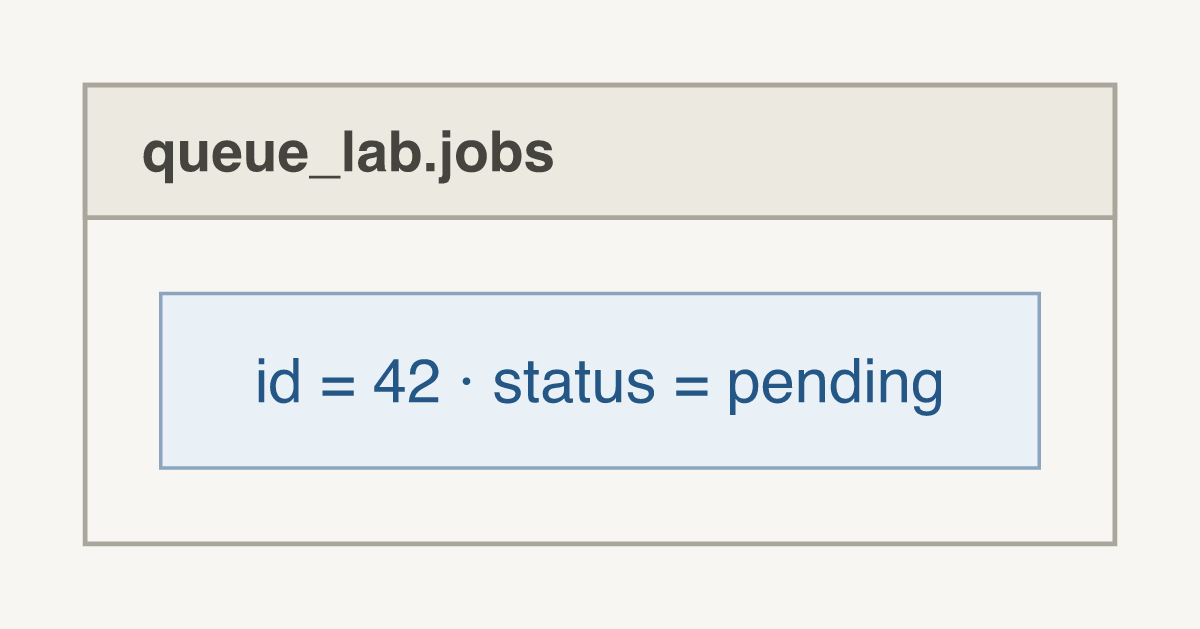
Two workers check that table. A worker is a background process that picks up a job and sends the email. Each worker has its own database connection, so they can both ask Postgres what work is waiting.
Here’s the query they ran against the one-row table.
SELECT id,status FROM queue_lab.jobs;Both workers got 42 | pending.
Both answers were correct when the query ran. The first run ends with those two reads. If each worker sent the email it just found, one signup would get two copies.
Put the claim in Postgres
What the worker needs is a way to say, “Give me a job and reserve it for me.”
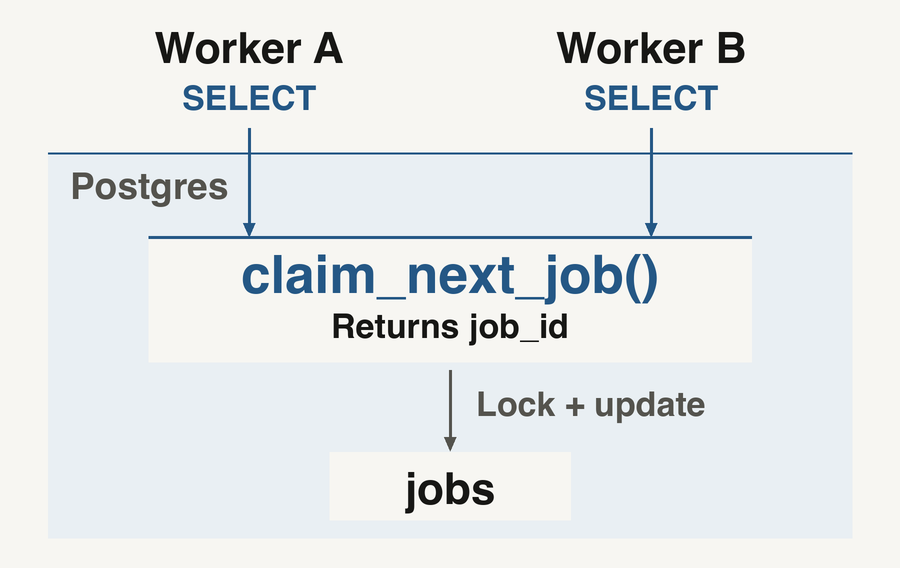
You can put that operation in Postgres. A migration runs CREATE FUNCTION after the table exists. Postgres stores the definition, and both workers can call it by name. They already know how to run a SELECT. Postgres SQL functions
SELECT id,status FROM queue_lab.jobs;

SELECT * FROM queue_lab.claim_next_job();
That second SELECT calls the function. It can read a row, lock it, change its status to running, and return its ID. All in the worker’s transaction.
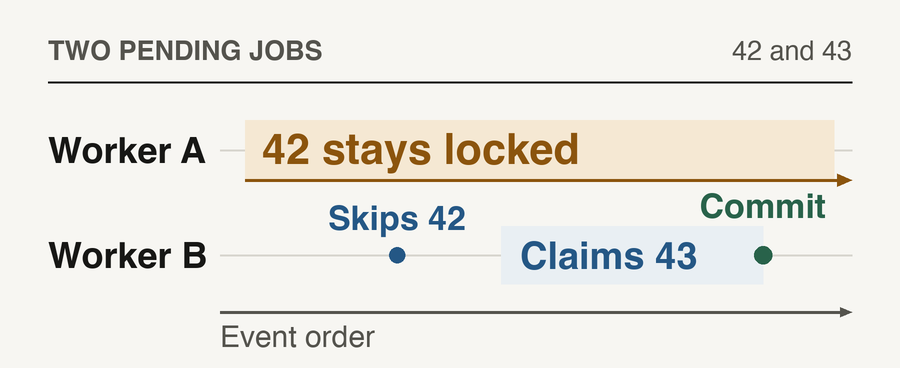
Now take the same queue with one pending job. Worker A calls the function and keeps its transaction open. B calls it too, while A holds the row lock.
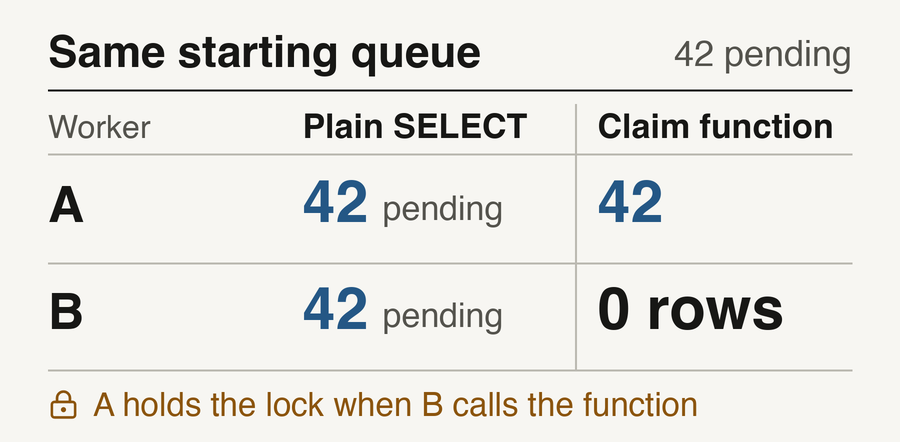
In the claim run, B needs a lock on the row. A already holds that lock, and there’s nowhere else to look. That’s where the zero comes from.
So what if there is another job waiting?
Job 42 still looks pending
The next run starts with two pending jobs, 42 and 43. Both workers call the same function again.
B has committed and A’s transaction is still open. A third connection reads the table. What would you expect it to see for 42?
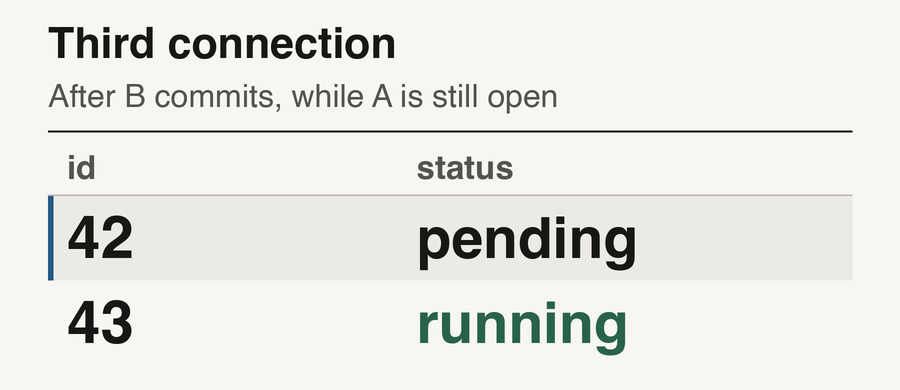
42 still says pending. A has written running inside its transaction. The third connection runs an ordinary SELECT at Read Committed, the Postgres default. It sees the version of the row that was committed when its query began, which still says pending. Postgres Read Committed
B’s call needs the lock before it can change the row. A is still holding it.
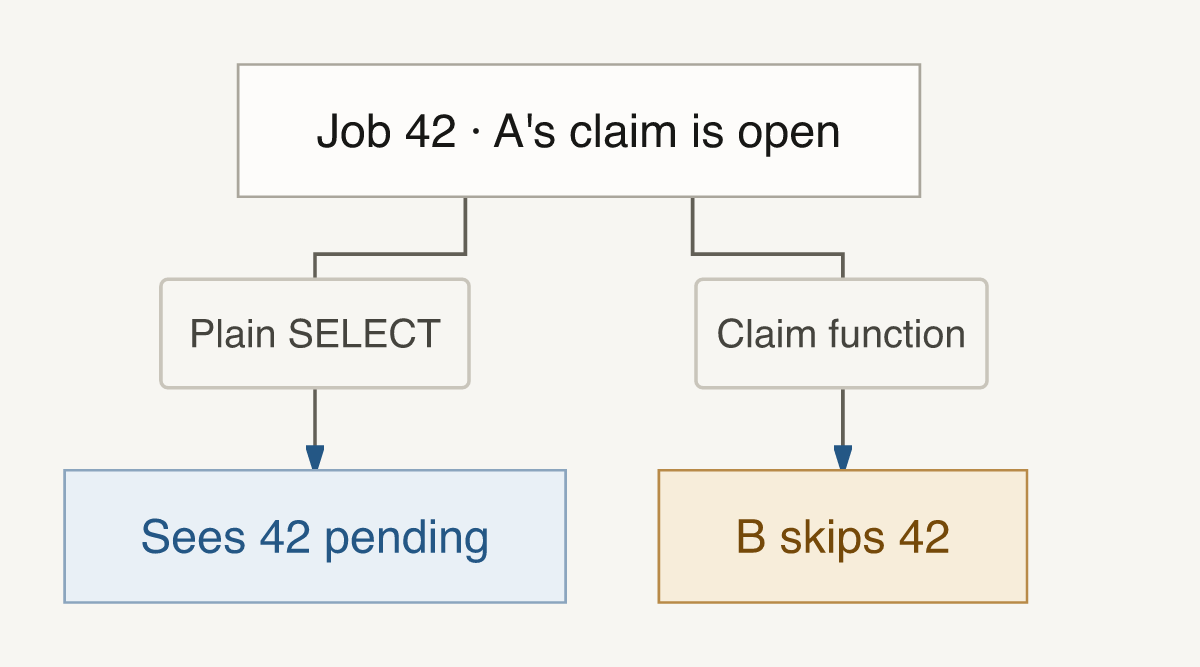
FOR UPDATE SKIP LOCKED is the line that lets B keep looking.
Follow 42 through the SQL
CREATE FUNCTION gives the operation a name. The worker calls it with no arguments and gets a table with one column, job_id. LANGUAGE sql tells Postgres that the body between the $$ markers is SQL. CREATE FUNCTION
The result depends on whether Postgres can lock a pending row.
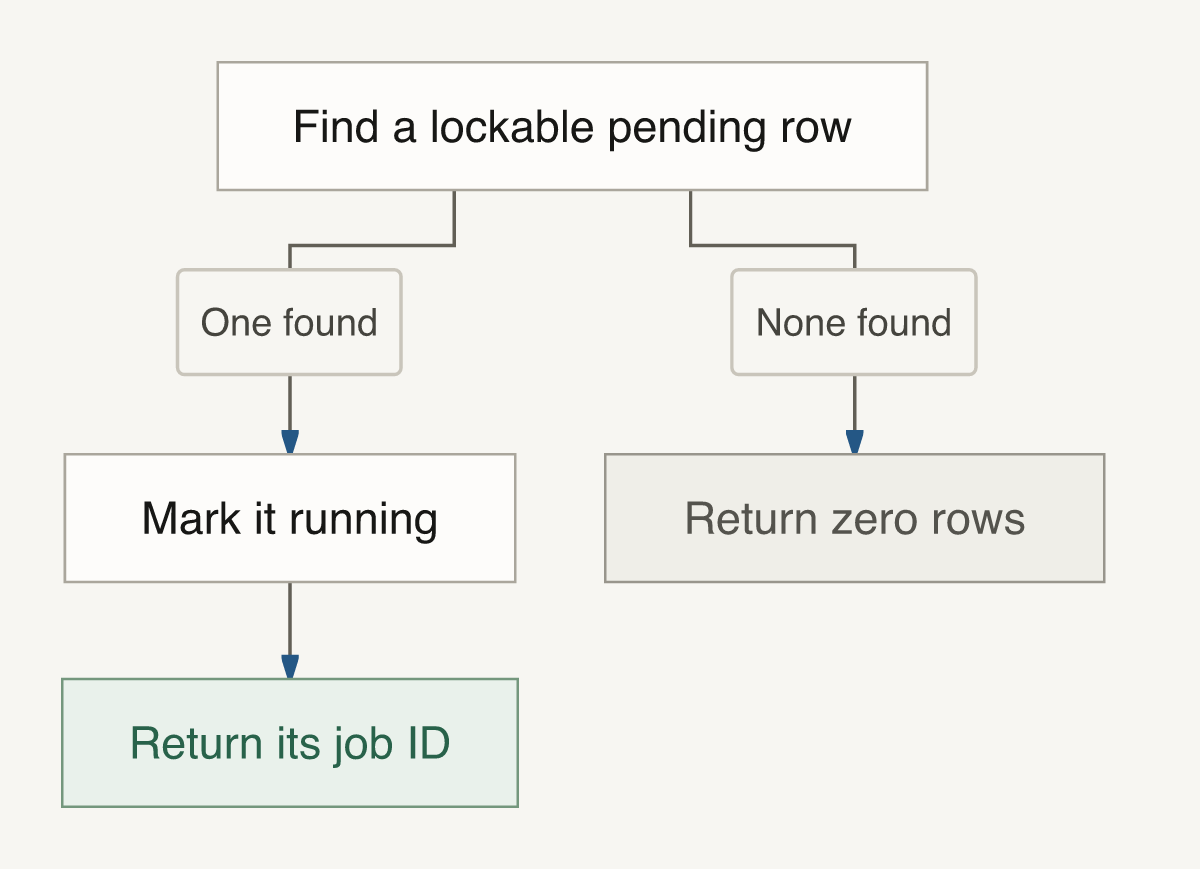
In the SQL below, follow the row from the lock to the update and the returned ID.
CREATE OR REPLACE FUNCTION queue_lab.claim_next_job()
RETURNS TABLE (job_id integer)
LANGUAGE sql
AS $$
    WITH next_job AS (
        SELECT id
        FROM queue_lab.jobs
        WHERE status = 'pending'
        ORDER BY id
        LIMIT 1
        FOR UPDATE SKIP LOCKED
    )
    UPDATE queue_lab.jobs AS job
    SET status = 'running'
    FROM next_job
    WHERE job.id = next_job.id
    RETURNING job.id;
$$;- Pick one pending job.
FOR UPDATElocks the row the query picks.SKIP LOCKEDmoves past rows another worker has locked. The search starts at the lowest ID and stops after one lockable job. That’s how B got43. - Update the row you picked. If
next_jobcontains42, theUPDATEmatches that ID and changes its status torunning. - Return the ID you updated.
RETURNING job.idreports the changed row. If every pending row is locked, there’s nothing for the update to change and the call returns zero rows.
A zero-row result tells the caller that this attempt found no lockable job. It can still have work waiting behind a lock. In an always-on worker, schedule another attempt instead of treating that result as an empty queue forever.
The function can return the ID while that transaction is still open. Postgres holds the lock until commit or rollback. That gap matters as soon as the worker wants to do something outside the database. Postgres row locks · SELECT locking clause
An ID comes back before the email goes out
Go back to the run with just job 42. A has the ID and its transaction is still open. B’s first call returned zero rows. Now A rolls back.
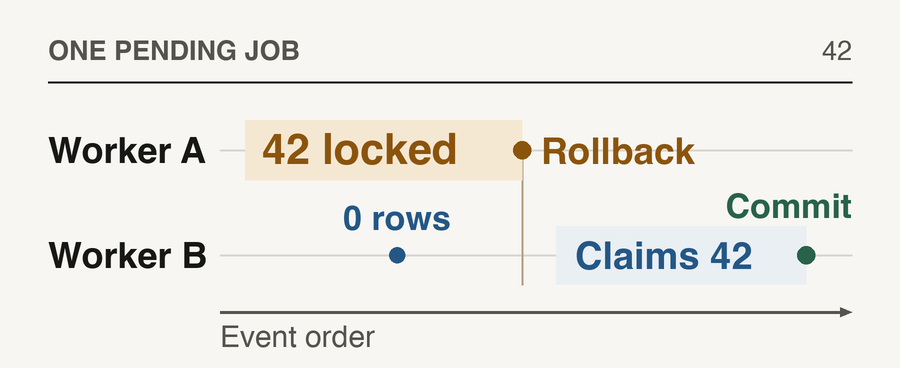
Postgres undoes A’s change and releases the lock. B tries again, claims 42, and commits. A third connection can now see 42 | running. ROLLBACK
Both workers got 42 at different points. If A had sent the email the instant it saw the ID, B could send another one after A’s rollback. The send belongs after the claim commits.
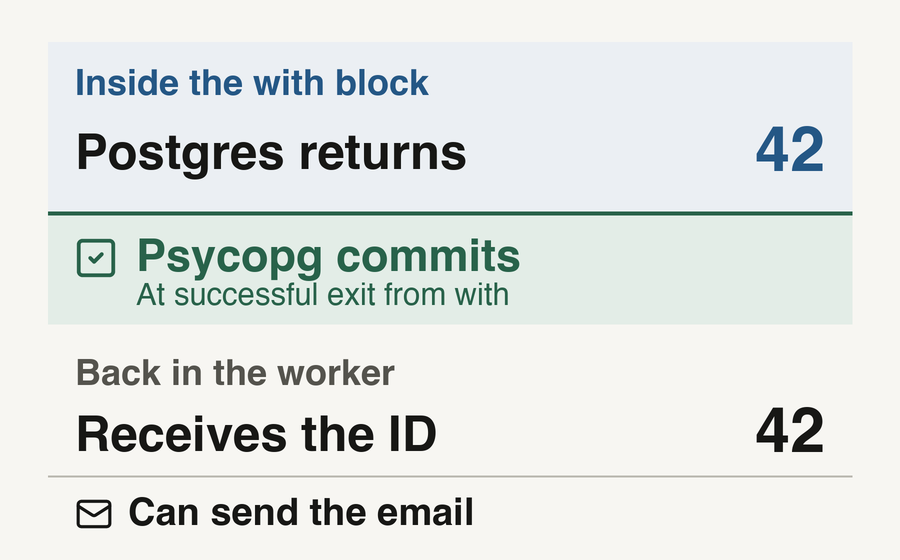
In the Python helper below, Postgres gives claim_one() the ID inside the with block. Psycopg commits on a successful exit from that block. Only then does the helper hand the ID to the worker. If the query found nothing to claim, the caller gets None. Psycopg transactions
import psycopg


def claim_one(dsn: str) -> int | None:
    with psycopg.connect(dsn) as conn:
        row = conn.execute(
            "SELECT * FROM queue_lab.claim_next_job()"
        ).fetchone()

    if row is None:
        return None
    return row[0]
What if the provider already accepted the email?
Suppose B commits and sends the welcome email. The provider accepts the request. Just before B records that the job is done, the process crashes.
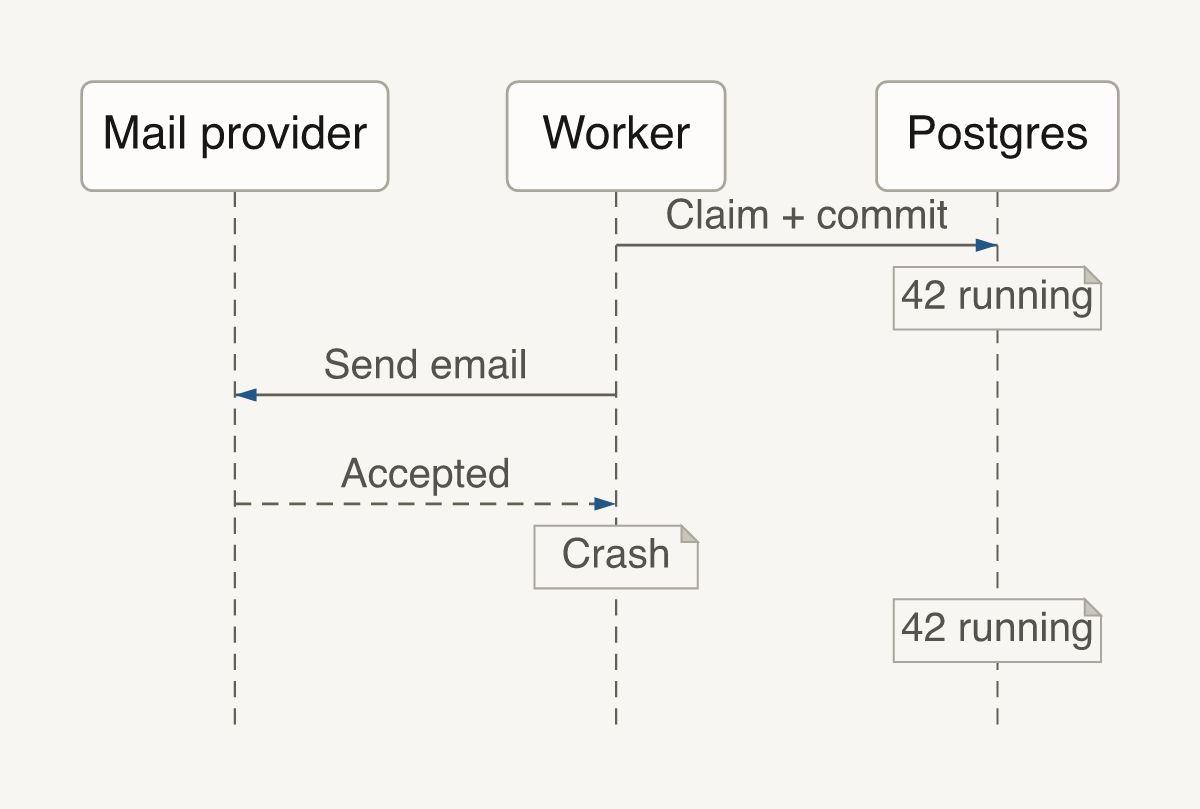
The row still says running. If a recovery process later puts it back to pending, a new worker can claim it. Job 42 is back in its hands. The question is whether the provider already accepted that email.
This is where the provider can help. The worker sends an idempotency key with the request. It’s a label for this particular send, so the provider can recognize a repeat. Here, send_welcome_email() is the call to the mail provider.
job_id = claim_one(dsn)
if job_id is not None:
    key = f"welcome-email:{job_id}"
    send_welcome_email(
        job_id, idempotency_key=key
    )
Job 42 gets the key welcome-email:42 on both attempts. If the provider still remembers that key and gets the same request, it can return the earlier result. The worker can record completion without sending the email again.
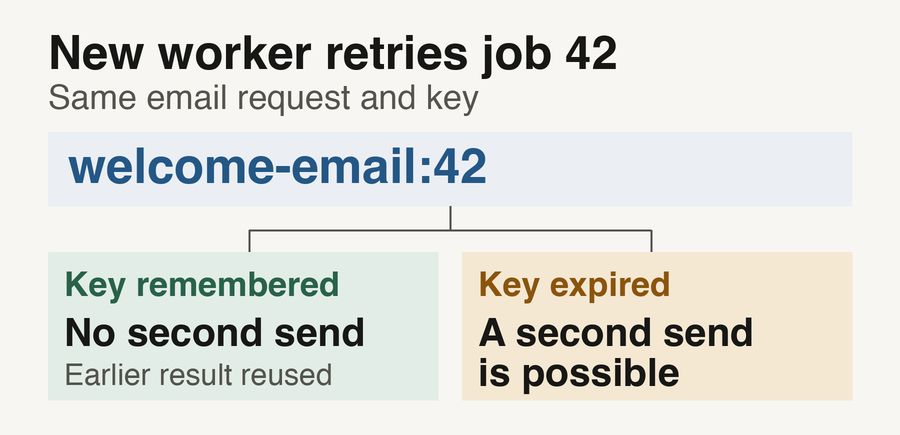
The provider’s memory has a time limit. Resend keeps keys for 24 hours, for example. If a retry comes after the provider has forgotten the key, a second welcome email can still land in the inbox. Resend idempotency keys
If several workers need to reserve work, they can all call the same function in Postgres. Here, claim_next_job() reserves the job. Once the claim commits, the worker can send the email. If it needs to retry, it sends the same request with the same key.
Next, wake a waiting worker with LISTEN and NOTIFY . The worker still uses the claim operation above when it wakes up.