How JPEG turns pixels into frequencies
In the microscope below, JPEG can damage most of the hidden bits in an image while leaving the picture apparently intact.
That is not a bug in the experiment. It is the point of JPEG.
The hidden payload needs every selected color value to return exactly. Your eyes do not. If a blue channel comes back as 184 instead of 185, the picture is usually fine. A bit stored in that difference is gone.
So the interesting question is not how JPEG makes pixels smaller. It is how JPEG decides which changes you probably will not notice.
Image Compression Microscope
The picture can survive while the payload dies
Each square is one least-significant bit written before compression and read from the same channel after decoding. A crossed square changed.
8 × 8 transform blocks → quantization → entropy coding
The block view reproduces the transform and a conventional luminance table. It does not expose this browser encoder's private tables or chroma decisions.
8 × 8 luma samples
Transform coefficients
After quantization
61/64 coefficients became zero at quality 72.
The three images and the measurements above come from a real browser round trip. The browser encodes the source, decodes the JPEG, and compares the returned pixels. The coefficient panel is different: it is a transparent model of the central mechanism, because the browser does not expose its private encoding decisions.
A pixel is the wrong place to look for expendable detail
Suppose an encoder examines one pixel in isolation. It sees three color values, but it cannot tell whether changing them will erase a smooth sky, soften skin, or break the edge of a letter. The importance of a pixel depends on its neighbors.
JPEG therefore works on small blocks. In the common baseline process, each image component is divided into blocks of 8 × 8 samples. That gives the encoder a local patch rather than 64 unrelated numbers.
Before this happens, a typical encoder separates brightness from color differences. Human vision usually notices fine brightness structure more readily than equally fine color structure, so the color components can be stored at a lower resolution. This is chroma subsampling. It is common, but it is not the transform itself and it is not mandatory in every JPEG workflow.
Now the encoder has an 8 × 8 block. It still needs a way to separate the broad shape from the tiny variations.
The block becomes a mixture of patterns
Imagine describing a patch of sky. Most of the patch is one broad blue tone, perhaps with a slow change toward one edge. Listing all 64 values repeats almost the same information.
The Discrete Cosine Transform (DCT) asks a different set of questions. How much of the block is a flat average? How much changes slowly from left to right? How much alternates rapidly in both directions?
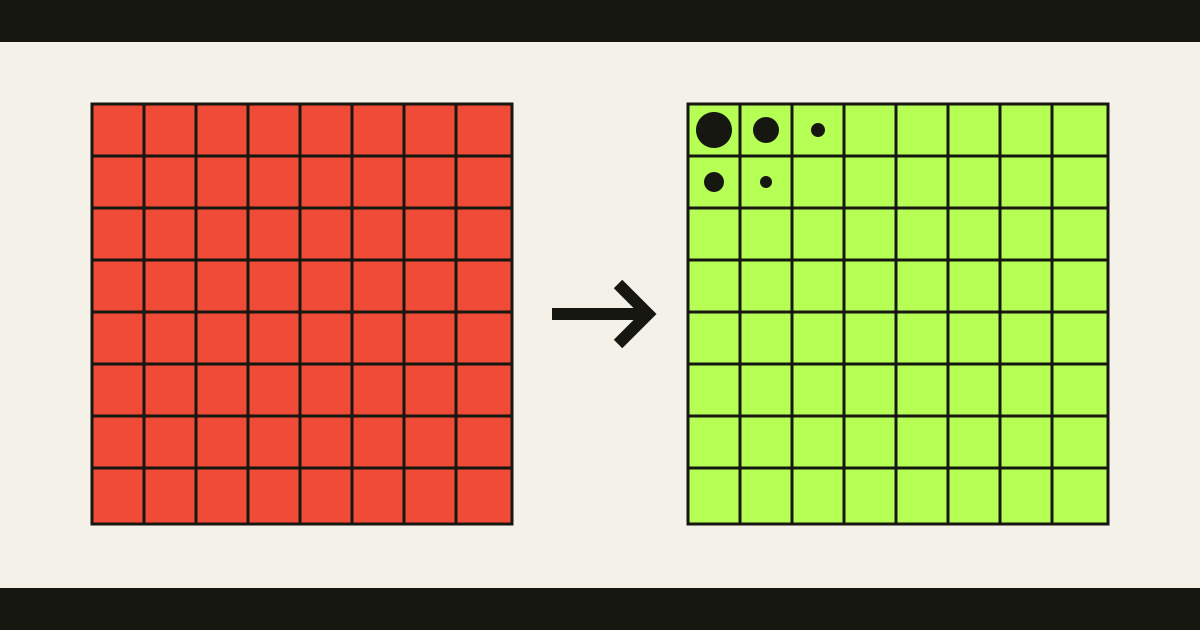
The transform produces 64 answers, called coefficients. The top-left coefficient describes the average level of the block. Moving across or down the matrix represents progressively faster variation.
Nothing has been discarded yet. The 64 samples became 64 coefficients, and the transform can be reversed within its numeric precision. The advantage is that a smooth area concentrates most of its useful information near the low-frequency corner. Many high-frequency coefficients are already small.
JPEG has turned “which pixels can I damage?” into a much better question: “which fine patterns contribute least to this block?”
One rounding step creates the loss
JPEG now divides every coefficient by a value from a quantization table and rounds the result to an integer. ITU-T T.84 describes this correspondence between the 64 transform coefficients and 64 quantization values.
If one coefficient is 17 and its quantizer is 12, the stored value becomes:
17 / 12 = 1.42 → 1During decoding, that value is multiplied by 12:
1 × 12 = 12The missing five units are not hidden elsewhere. Rounding merged several possible inputs into the same stored integer, so the decoder cannot know which one was original.
Larger quantizers produce more aggressive rounding. Small high-frequency coefficients often become zero, which leaves long, repetitive runs that the final lossless coding stage can store very cheaply.
This is where JPEG becomes small: first it reorganizes detail into coefficients, then it deliberately reduces their precision, and only then does it compress the simpler result.
Missing frequencies return as visible shapes
The decoder multiplies the stored integers by the quantization table, applies the inverse DCT, and rebuilds the pixels. Because the coefficients were rounded, the reconstructed block is only an approximation.
The shape of the error follows the information that disappeared. If adjacent blocks were simplified differently, their borders may stop matching and the familiar 8 × 8 grid becomes visible. If a hard edge lost too much high-frequency detail, the reconstruction can ripple around it and produce a halo called ringing.
JPEG did not store those artifacts. They are what missing frequency precision looks like after it has been turned back into pixels.
At higher quality, the same process still changes many values, but by amounts that are hard to see. Peak Signal-to-Noise Ratio (PSNR), shown in the microscope, summarizes numeric error. It can tell us that one round trip changed the samples less than another. It cannot fully predict which image will look better to a person.
A website has no visual tolerance
The Website Inside an Image tool stores data in the least significant bits of red-green-blue (RGB) samples. For the picture, changing 184 to 185 is negligible. For the payload, it changes a zero into a one.
Quantization does not know that the quietest bit of a color value contains HTML. It only knows which block patterns can be approximated. When the decoder reconstructs new pixels from rounded coefficients, those exact bit positions are effectively random from the payload’s point of view.
This is why the hidden-bit grid can collapse while the image above it looks stable. The codec preserved the information needed for a convincing picture. The website asked it to preserve something else.
The better question for any lossy format is therefore not “How many pixels does it delete?” JPEG does not need to delete pixels at all.
Ask what the format promises to reconstruct. JPEG promises an approximation built from quantized frequencies. Once the image and the hidden payload depend on different promises, their opposite outcomes stop being surprising.