How a working website fits inside a PNG image
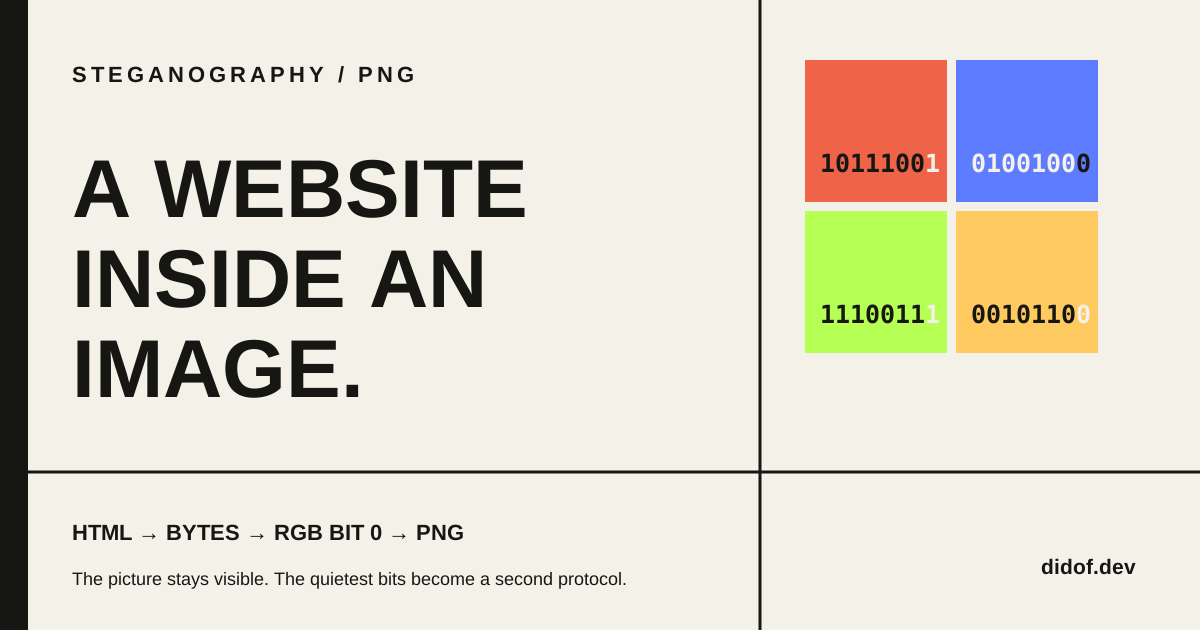
Open Website Inside an Image, load the two samples, and press one button. The tool generates a normal-looking Portable Network Graphics (PNG) image. Move that image to the extractor and a website appears: HyperText Markup Language (HTML), styles, JavaScript and all.
The button inside the recovered page still works.
Nothing was linked from a server. The HTML was reconstructed from the image itself.
The first version did not work this cleanly. On one phone, the extracted stylesheet contained displAy instead of display, and the main selector had become mahn. The image still looked correct. Two invisible bit changes were enough to damage the code.
That failure exposes the real mechanism. Hiding a website in an image is easy if an image is treated as a large array of numbers. Recovering the website requires every relevant number to return unchanged.
An image already contains millions of numbers
Consider an ordinary 8-bit red-green-blue (RGB) pixel. It stores three integers:
red   = 184
green = 72
blue = 230Each value can range from 0 to 255 because it occupies eight binary digits, or bits. Red 184 is:
184 = 10111000The digits on the left carry most of the value. Flip the first one and the number changes by 128. The digit on the far right carries only one.
184 = 10111000
185 = 10111001That final digit is the least significant bit. Replacing it changes the channel by either zero or one. If the payload bit is 0, the encoder clears the final digit. If the payload bit is 1, it sets it.
const next = (channelValue & 0b11111110) | payloadBit;The mask clears bit 0. The | operation inserts the next payload bit. The same operation works for red, green and blue, while alpha remains untouched.
The image now has two interpretations. An image viewer reads the complete RGB values and draws the picture. Our decoder ignores almost all of each value and reads only the last bit.
This is a simple form of steganography: communicating while hiding the existence of the communication. The National Institute of Standards and Technology definition is useful here because it separates steganography from encryption. Encryption makes a message unreadable without a key. Steganography tries to make the message less apparent in the first place.
Our experiment does not provide strong secrecy. It writes bits in a predictable sequence, without a key, and a statistical detector could look for the pattern. The point is narrower: the visible image and a second byte stream can occupy the same color samples.
The website needs a packet before it needs pixels
The browser does not write the characters <, h, t, m, l into colors. It first reads the HTML file as bytes. A self-contained document can include its Cascading Style Sheets (CSS) in <style> elements and its JavaScript in <script> elements, so one byte sequence is enough to reproduce the page.
“Self-contained” is a real boundary. If the document references a remote font, image or script, the image contains the reference, not the external resource. The recovered page may request that resource later, but it was never hidden in the pixels.
Raw HTML bytes are also not enough. A decoder must know whether a payload exists, which format version it uses, how many bytes to read and whether those bytes survived. The didof.dev tool therefore prefixes the payload with a 24-byte header:
| Offset | Size | Field | Purpose |
|---|---|---|---|
| 0 | 8 bytes | DIDOFSTG | Recognizes this packet format |
| 8 | 1 byte | Version | Selects packet grammar version 1 |
| 9 | 1 byte | Payload type | Identifies HTML in version 1 |
| 10 | 2 bytes | Reserved | Leaves room for format changes |
| 12 | 4 bytes | Payload length | States how many HTML bytes follow |
| 16 | 4 bytes | 32-bit Cyclic Redundancy Check (CRC-32) | Detects changes in the HTML payload |
| 20 | 2 bytes | Filename length | States how many filename bytes follow |
| 22 | 2 bytes | Reserved | Keeps the header fixed at 24 bytes |
The UTF-8 filename comes next, followed by the original HTML bytes. The WHATWG Encoding Standard defines the UTF-8 conversion used by browser TextEncoder and TextDecoder APIs.
The header turns a run of bits into a small protocol. The eight-byte signature answers “is this one of our packets?” The lengths answer “where does each field end?” The checksum answers “did the HTML arrive unchanged?”
Without those boundaries, extraction would be guesswork.
Three bits per pixel become real capacity
The encoder uses one bit from each red, green and blue channel. Each pixel therefore carries three payload bits.
For an image with width W and height H, raw capacity is:
capacity in bytes = floor(W × H × 3 / 8)A 1920 × 1080 image contains 2,073,600 pixels. At three bits per pixel, it can carry 6,220,800 bits, or 777,600 bytes. That is about 759 kibibytes (KiB) before subtracting the 24-byte header and UTF-8 filename.
Our 1280 × 960 sample offers 460,800 raw bytes. Its sample website is 1,184 bytes. Add the header and the 17-byte filename, and the complete packet uses 1,225 bytes: about 0.27% of the available capacity.
Only the channels used by the packet are modified. About half of those already have the required final bit and do not change at all. The others move by one.
This explains why the result looks the same. It does not prove that every LSB payload is perceptually or statistically invisible. Smooth synthetic images, extreme payload sizes and deliberate steganalysis can expose patterns that casual viewing misses. “I cannot see a difference” is an observation, not a security property.
Why the output is PNG
Writing the bits is useless if saving the image changes them again.
Portable Network Graphics (PNG) works because it is lossless with respect to its reference image. The PNG specification defines a reversible path: serialize pixel rows, apply a reversible filter, compress the filtered bytes, and place the compressed stream in chunks. A decoder can inflate the stream, reverse the filters and recover the reference samples exactly.
That does not mean a PNG file is a flat dump of red, green and blue values. Its datastream begins with an eight-byte signature and then contains typed chunks. Three chunk types matter for our generated files:
IHDRdescribes width, height, bit depth, color type and interlacing;IDATcontains the compressed, filtered scanlines;IENDmarks the end of the datastream.
Each chunk also has its own cyclic redundancy check. Those PNG chunk checks protect the structure of the PNG. They are separate from the payload CRC-32 stored inside our hidden packet.
The writer deliberately produces a small, predictable subset of PNG: non-interlaced, 8-bit red-green-blue-alpha (RGBA). It writes filter type 0 for every row, which means “no prediction,” then compresses the scanlines with CompressionStream("deflate"). The browser API is defined by the WHATWG Compression Standard.
The result can still be smaller than an uncompressed bitmap. Lossless compression changes the representation of the samples, not their values after decompression.
This distinction matters. The payload is not appended after IEND, and it is not placed in a text metadata chunk. It lives in the RGB samples that IDAT represents.
The bug hidden behind a correct-looking image
The first decoder took the convenient route:
- ask the browser to decode the PNG;
- draw the decoded image to a canvas;
- call
getImageData(); - read the least significant bits.
That sounds equivalent to parsing the PNG. For visual work, it normally is.
For this protocol, it was not.
The PNG specification distinguishes the stored PNG image from the image representation delivered to an application. It guarantees that the PNG reference image can be recovered exactly from the datastream, but it does not specify one universal application-facing pixel format. Browser rendering also operates in a color space and may perform conversions before values reach a canvas.
On the tested phone, that path changed two low-order bits. Each color difference was at most one, so the picture remained visually intact. The payload was not. American Standard Code for Information Interchange (ASCII) letters changed, valid CSS identifiers broke, and the page layout failed.
The exact internal conversion was not isolated, so “color management” should not become a magical explanation for every bit flip. The conclusion we actually measured is simpler: the rendering boundary did not preserve the numerical contract required by the decoder.
So the final extractor does not render the encoded PNG before reading it.
Reading the PNG instead of displaying it
The direct decoder treats the uploaded file as a datastream:
PNG bytes
  → verify signature
  → read and verify chunks
  → concatenate IDAT data
  → inflate the compressed stream
  → reverse each scanline filter
  → recover RGBA samples
→ read RGB bit 0 in sequencePNG defines five filter types: None, Sub, Up, Average and Paeth. Filters do not discard information. They replace each byte with a value that is often easier to compress, based on bytes to the left, above or diagonally above it. Decoding adds the same prediction back.
Our writer currently uses None, but the reader reverses all five types. This matters because a valid PNG encoder is allowed to choose filters row by row.
The decoder still is not a universal PNG library. It deliberately accepts non-interlaced, 8-bit grayscale, RGB, grayscale-alpha and RGBA input, then normalizes those values into RGBA. It rejects indexed-color, 16-bit and interlaced inputs rather than silently passing them through a conversion that could change bit 0.
Narrow support is a feature here. A decoder that cannot guarantee the required representation should fail explicitly.
After generating a PNG, the encoder performs one more test: it immediately parses its own output, reads back the complete hidden packet and compares every byte with the packet it intended to write. The download button appears only after that round trip succeeds.
A checksum decides whether the page may run
The extractor first reads only the 24-byte header. It checks the DIDOFSTG signature, verifies the version and calculates whether the declared lengths can fit inside the image. Only then does it read the filename and HTML.
Next it calculates CRC-32 over the recovered HTML and compares the result with the value stored by the encoder.
stored CRC-32      4A17B2C9
calculated CRC-32  4A17B2C9
                   ────────
payload acceptedA cyclic redundancy check is designed to detect common transmission and storage errors. It is not encryption. It does not authenticate who created the payload, and it cannot repair damaged bytes. CRCs can also have collisions: different data can produce the same check value. The general error-detection boundary is discussed in RFC 3385.
For this experiment, CRC-32 answers one operational question: do the recovered HTML bytes match the integrity value written for the original payload?
If they do not, the tool labels the payload damaged and refuses to run or download it. This is why the original two-bit failure should never have appeared as a successful extraction.
If they match, the bytes are decoded as UTF-8 and assigned to an iframe through srcdoc. The iframe uses:
<iframe
  sandbox="allow-scripts allow-forms allow-modals"
  srcdoc="...recovered HTML...">
</iframe>The allow-scripts token lets the reconstructed JavaScript prove that it survived. Because allow-same-origin is absent, the sandbox retains an opaque origin and does not grant the recovered page ordinary access to the parent application. The exact sandbox behavior is defined by the HTML Standard.
This is containment, not a declaration that arbitrary HTML is safe. The current demo also permits forms and modal dialogs. Integrity says the code arrived unchanged; it says nothing about whether that code deserves trust.
What “inside the image” actually means
The website is not a tiny browser process living in a photograph. The image does not execute anything while it is being viewed.
The PNG stores RGB samples. Our packet format gives the least significant bits of those samples a second meaning. A compatible decoder recovers that meaning, verifies the bytes and passes the resulting HTML to a browser context that can execute it.
This connects directly to a broader point from A File Doesn’t Know What Kind of File It Is: bytes do not carry one universal interpretation. A PNG decoder sees color samples. Our extractor sees those same samples and then applies another grammar to bit 0.
Both interpretations are real because both follow explicit rules.
The price is fragility. The protocol assumes the same sample count, the same order and the same least significant values. Convert the image to JPEG, resize it, crop it, apply a filter or take a screenshot, and that assumption disappears. A social platform can preserve the appearance while destroying the hidden byte stream.
That boundary is now measurable in Image Compression Microscope: JPEG, PNG and WebP can be encoded and decoded in the browser while the tool compares pixel error with hidden-bit survival. The compression-resistant follow-up then treats the carrier as a noisy channel whose redundancy, error correction and synchronization must be designed together.
For now, the important shift is smaller.
An image is not a passive box with a secret compartment. It is an array of samples. If two systems agree on how to interpret the quietest bit of each sample, the same array can be both a picture and a transport protocol.