What Happens to the Frontend When Agents Use the Web?
On April 15, Cloudflare renamed Browser Rendering to Browser Run.
The new name is almost literal. Browser Run gives an agent a Chrome session and lets it drive it: open pages, fill forms, click controls, take screenshots, record the session, or hand control to a person when automation gets stuck. Cloudflare also added direct Chrome DevTools Protocol (CDP) access and experimental WebMCP support. Cloudflare’s announcement describes the change as a move from browser rendering toward a remote browser for agents.
This already works without websites doing anything special.
Browser Run can return the accessibility tree of a rendered page: roles, names, values, states and hierarchy. A hotel page that looks like cards, filters and inputs to us can become something closer to textbox: Destination, checkbox: Free cancellation, button: Search for the agent. Cloudflare added the standalone accessibility-tree endpoint in July 2026. The Browser Run changelog documents the endpoint and its intended use by agents.
The agent can use that structure to operate the normal website.
There is still something backwards about it.
The hotel application already knows that it has a search operation. It already knows what a destination is and what the cancellation filter changes. The frontend turns those concepts into controls for a person. Browser automation then reads those controls and reconstructs the concepts so a machine can operate them again.
WebMCP tries to skip part of that reconstruction.
Give the agent the operation
WebMCP lets a page register tools that an agent can call through the browser.
In the current draft, a web application can register a JavaScript tool through document.modelContext.registerTool(), giving it a name, description, input schema and implementation. The proposal also includes a declarative application programming interface (API) that can expose Hypertext Markup Language (HTML) forms as tools. The WebMCP draft specification defines both approaches.
A travel site could expose something like:
searchFlights({
  origin: "Rome",
  destination: "Berlin",
  date: "2026-09-04"
})without making the agent discover the three fields and the Search button that implement the same operation.
Cloudflare uses almost exactly this example in its Browser Run announcement: a site exposes a flight-search tool, the agent discovers it on the page and calls it instead of going through a screenshot-analyze-click loop. Cloudflare runs WebMCP-capable Chrome beta instances in an experimental Browser Run pool. Cloudflare documents the WebMCP support here.
The page is still running while this happens.
The tool belongs to the live document. It can operate against the same Document Object Model (DOM), cookies and application state that the normal user interface (UI) is using. Chrome distinguishes this from the Model Context Protocol (MCP) specifically on that basis: an MCP service exists independently of an open web page; WebMCP operates in the world currently loaded in the user’s tab. Chrome’s MCP/WebMCP comparison describes WebMCP as the frontend counterpart to backend-oriented MCP.
So WebMCP is not a machine-only backend replacing the frontend. The browser is still running the frontend. The frontend is exposing another way to operate it.
The agent no longer has to imitate us
Without WebMCP, booking a hotel may require the agent to identify the destination input, set the dates, activate the right filter, locate Search, click it and inspect the result.
None of those steps is particularly impressive. Together they are a translation layer.
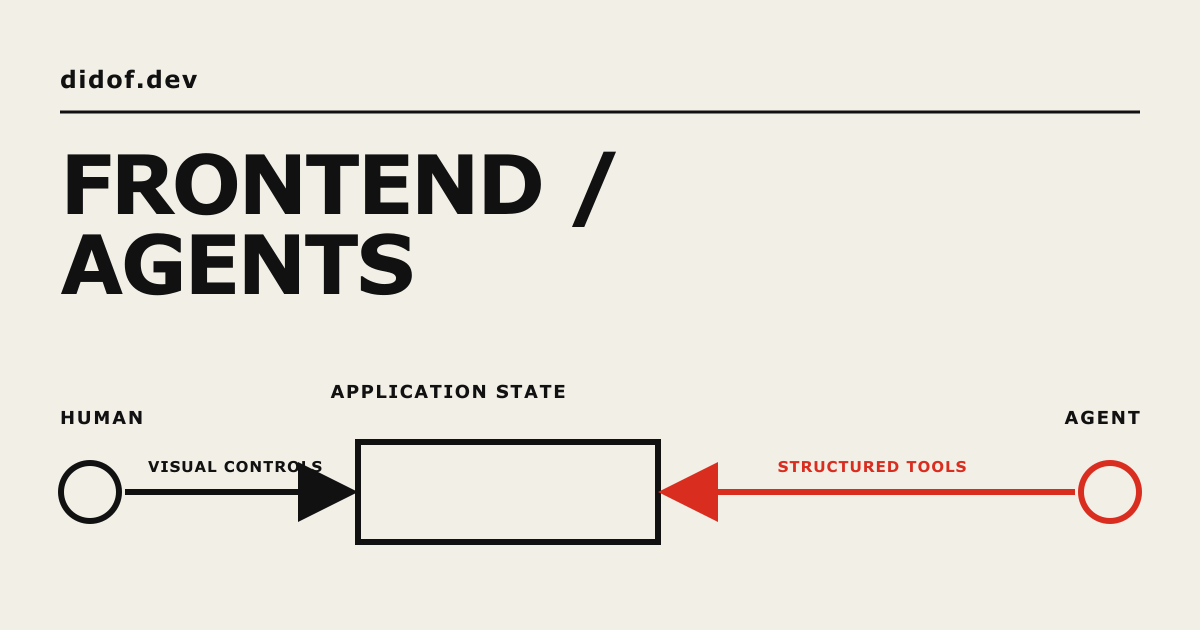
With WebMCP, the site can expose the operation underneath those controls directly. The resulting state can still be rendered through the normal UI.
The human and the agent can therefore operate the same application without using the same interface.
This is much narrower than saying the frontend is disappearing. HTML, JavaScript, the DOM and application state remain part of the web application. The visual UI can remain too. The part that becomes optional is making the machine reproduce the interaction sequence designed for a person.
The UI is still useful
Browser Run also supports the opposite direction.
Live View lets a person watch the remote browser. Human in the Loop lets an automated session pause, give control to a person and continue afterwards. Cloudflare added a structured pause-and-resume handoff in July. The Human in the Loop documentation describes the handoff protocol.
A login wall is the obvious use case, but authenticated sessions make the same mechanism useful even when the agent is working correctly.
Consider checkout. The agent can search, compare products and prepare the order. The user can still inspect the actual checkout page before the purchase happens.
WebMCP makes that distinction important because its tools execute inside a page that may already have the user’s cookies and privileges.
The current specification gives a useful failure example. A shopping site exposes a tool whose description can lead an agent to interpret the operation as preparing a cart for review while the implementation actually completes the purchase. The specification treats this as misrepresentation of intent. The WebMCP security section discusses this and related risks.
The tool name is not a behavioral contract.
An authenticated page may already be able to buy something, modify account settings, expose private data or delete content. WebMCP provides another code path to those actions, and the specification notes that the tool path must preserve the security properties expected from the visible application.
That pushes part of frontend design away from controls and toward semantics. A purchase tool needs an accurate description of its side effects, the same authorization guarantees as the visible purchase flow, and a clear point where human confirmation is required. The UI then shows the state produced by the agent and gives the person somewhere to inspect or stop it.
WebMCP may not survive
WebMCP is still an experiment.
The current specification is a Draft Community Group Report from the World Wide Web Consortium (W3C) Web Machine Learning Community Group. It explicitly says that it is neither a W3C Standard nor on the W3C Standards Track. The draft itself carries that status.
Chrome is experimenting with the API. WebKit records position: oppose, citing concerns around API design, duplication, portability, privacy, security, use cases and meaningful consent. Mozilla records position: neutral: potentially valuable, but with too many open questions for an endorsement as of August 15, 2026.
The API could change substantially or disappear. Browser automation could also become reliable enough that many sites never expose agent-specific tools.
Browser Run already gives us the fallback: let the agent use the existing website through a real browser, with CDP, Playwright, Puppeteer or structured representations such as the accessibility tree.
WebMCP explores the next step. Instead of reconstructing every action from controls designed for a person, the agent can sometimes call the action the page already knows how to perform.
Browser Run works even if a website was never designed for agents. The agent reads the page and operates the controls that are already there.
WebMCP changes what the site can expose. Search, booking or checkout no longer have to be inferred only from fields and buttons; the page can describe those operations directly.
The frontend is still running in both cases. What changes is who has to use the UI.